
Give your audio a face
Describe a character in a sentence, pick a drawing style, and drop them into your video. They light up when your voice does and relax when you pause, so your audio finally has a face people want to watch.
Create your talking headHow it works
From an idea to a talking character in 3 steps
Describe your character
A grumpy wizard, a cheerful robot, your podcast's mascot. Write a line about them and pick a style, from hand-drawn to clay.
Pick your favourite look
We draw a few versions for you to choose from. Pick one, and we cut it out and draw its talking faces: talking, happy and emphatic.
Drop it into your video
Add the head to any design. It talks while your audio plays, switching between its faces as it goes. Tune the scale, bounce and hover to suit.
Drawing styles
From hand-drawn sketches to soft clay
Every talking face is drawn in the style you picked, so your character always looks like itself.

Hand-drawn
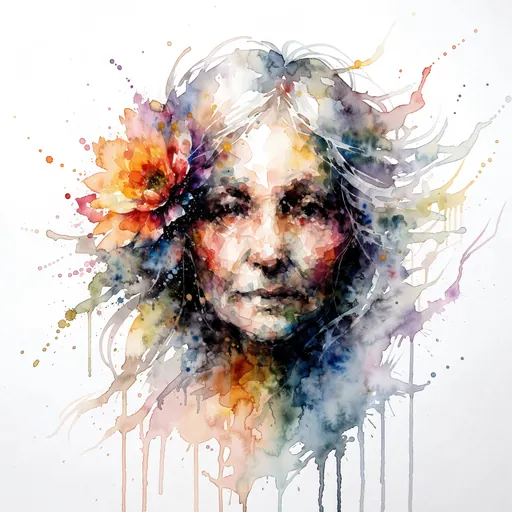
Watercolour

Cartoon

Clay

Anime
Imagination
Dream up anyone
A pirate cat. A nervous croissant. A tiny dragon who loves spreadsheets. Describe whoever makes you grin and we'll draw them, ready to front your next video.
Talking
Talks when you talk
Your character switches to its talking faces while the audio plays, and settles back to rest in the pauses.
Motion
Movement with personality
They lean in when they have something to say, perk up at the start of every phrase, and drift calmly while they listen. Tune them from laid-back to bright and bouncy.
A face for every recording
Put a character on screen for podcasts, lessons, explainers and short clips, without stepping in front of a camera.
Podcasts
Give your show a host people remember, without filming an episode.
Lessons
A friendly drawn teacher keeps learners watching.
Explainers
A character guides viewers through your idea, one point at a time.
Short clips
Stop the scroll with a face that talks along with the voice.
Ready to give your audio a face?
Describe your character today and watch it talk with your recording.
Try it today